Español
  Nederlands
  Français
  Deutsch
1. Delete the browser cache with a shortcut.
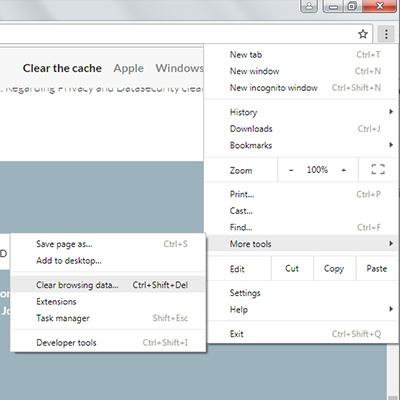
The fastest way to get rid of the cache data in Google Chrome is the option "Clear Browser cache". You can access this function with the following shortcut:
- Press the keys [Ctrl], [Shift] and [Del]. Be sure you press all the keys at once.
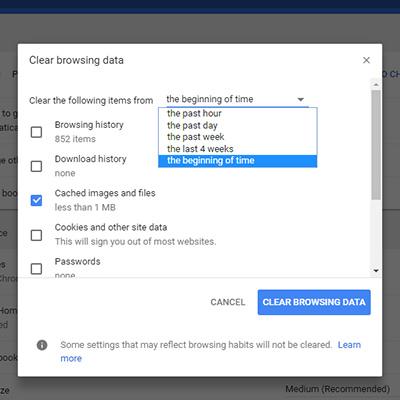
- A new window opens: "Clear Browser cache".
- Here you can select in the upper
dropdown-menu , for which time period you want to delete the cache data. You can select between "last hour", "last day", "last week", "last four weeks" or "all". - If you want to delete all cache
date , select "all". - Check the box in front of "Images and Files in Cache".
- Submit your selection by clicking the "Delete Browser data" Button.
- Reload your site.