Nederlands
  Français
  Deutsch
If you want to delete the browser cache in Safari, you can do that quickly with a keyboard shortcut or through the developer menu.
Apple makes it easy: Deleting Safari's Browser cache through a keyboard shortcut
The fastest way to clear your cache is to use following shortcut: [CMD] + [ALT] + [E].
Clearing the cache through the developer menu
You can also enable a developer menu in Safari to enable several professional options. To display the developer menu:
- Select the first item "Safari" in the main menu and from the drop-down the item "Preferences..."
- A popup opens. Click on the tab "Advanced".
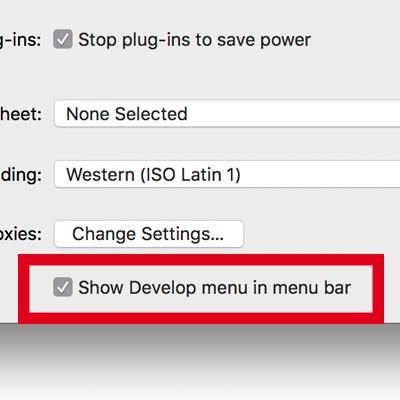
- Check the option "Show Develop menu in menu bar" at the bottom. Now you should see a new menu item in the main menu named "Develop".
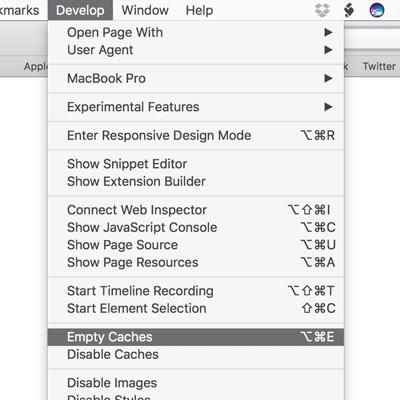
- If you click on the menu item "Develop" you can select "Empty Caches" from the submenu items.
- Reload the site.